
Look and sound better on Zoom (without adding desk clutter)
A minimal, high-impact setup for calls: better audio, better lighting, less “laptop webcam energy”.
.jpeg&w=3840&q=75)
If you do a lot of calls, two things make you look “pro” instantly: audio that’s close and light from the right place.
Step 1: Fix your audio first
People forgive a meh camera. They don’t forgive “what? can you repeat that?”
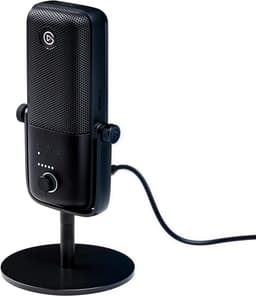
Clean, loud voice with easy placement. Great if you want “just works” audio and a nicer sound than basic mics.
View on AmazonIf you type a lot, get it off the desk
This kills keyboard thumps and frees space. Also makes mic placement easy.
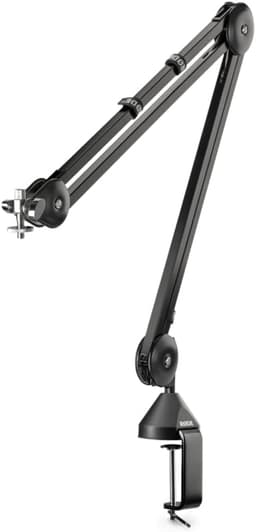
Smooth positioning and strong build; reduces desk bumps and vibration noise.
View on AmazonStep 2: Fix lighting without a lamp taking over
Put the light above the screen so your face isn’t lit from the side like a horror movie.
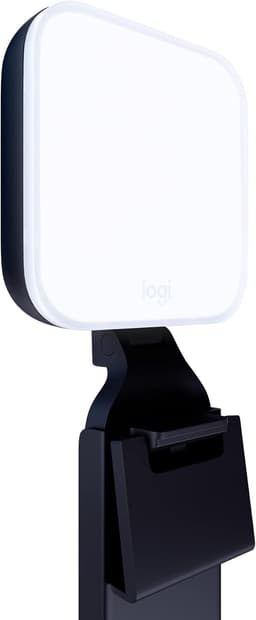
Compact key light that makes calls look better without a giant ring light on your desk.
View on AmazonStep 3: If your laptop camera is bad, stop fighting it
This is the “it just works” webcam that most people should buy and move on.
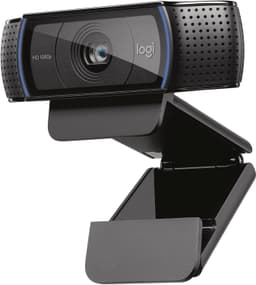
A long-time “safe buy” webcam for calls with consistent image quality.
View on AmazonThe 10-second checklist before every call
- Mic 6–10 inches away
- Light aimed at the desk, not your eyes
- Webcam at eye level (stack of books is fine)