
Laptop-only desk setup: the one-cable checklist (clean, fast, repeatable)
Stop plugging in 6 things every morning. This checklist gets you to a clean “dock-like” desk with one cable.
.jpeg&w=3840&q=75)
If you use a laptop as your main computer, you want a desk you can “dock” into in 3 seconds—then leave just as easily.
Step 1: the hub (your one-cable brain)
Checklist before you buy:
- Power Delivery high enough for your laptop (many need 60–100W).
- Video: do you need 4K 60Hz, or just “works”?
- Ethernet if your Wi‑Fi is unreliable.
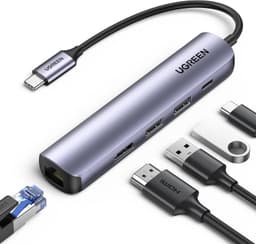
Good one-cable hub: PD + HDMI + USB ports for laptop-first setups.
View on AmazonStep 2: get the screen to eye level
Laptop screens are almost always too low. Raise it, then use external input.
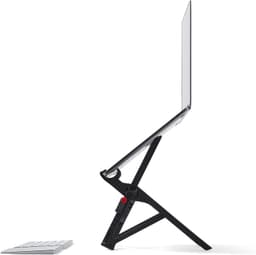
Highly portable, ergonomic lift; excellent if you move between desk spots.
View on AmazonStep 3: input that makes you faster (and more comfortable)
Pick a mouse and keyboard you’ll actually keep on the desk. Comfort is the “hidden performance.”
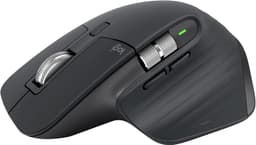
Excellent comfort + scrolling; a common “daily driver” upgrade for work setups.
View on Amazon
Great starter board with broad compatibility; easy upgrade path over time.
View on AmazonStep 4: lighting that doesn’t steal desk space
A light bar gives you good desk light without a lamp taking up your workspace.
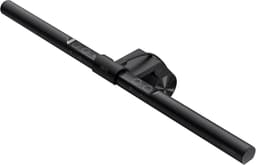
Monitor-mounted light that saves desk space and reduces glare vs. many lamps.
View on AmazonQuick setup (3-minute routine)
- Plug the hub cable in.
- Open your laptop.
- Set your timer: start the first task immediately.