
Affiliate disclosure: Some links may be affiliate links. If you buy through them, we may earn a commission at no extra cost to you.
Best USB mics under $100 for Discord & Zoom (simple, clean audio)
A short, decision-first list of USB mics under $100 that make you instantly easier to understand—plus the 2 setup mistakes that ruin audio.
2026-04-15
.jpeg&w=3840&q=75)
If people keep saying “you’re cutting out” or “you sound far away,” you don’t need a studio. You need a mic that’s easy to place and hard to mess up.
What matters (and what doesn’t)
- Placement beats price: 6–10 inches from your mouth is the cheat code.
- Desk vibration: keyboards and bumps travel straight into a mic on the desk.
- Simplicity: the best mic is the one you’ll actually keep using.
Quick picks
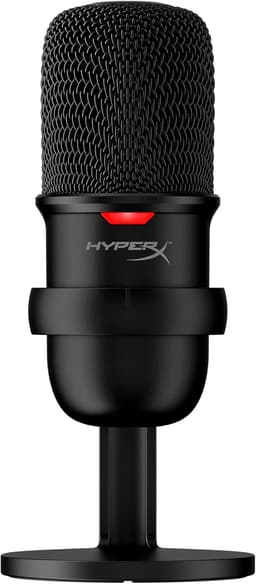
HyperX SoloCast USB Microphone
Under $100One of the easiest “sounds better instantly” mics for Discord/Zoom under $100.
View on AmazonThe #1 upgrade: get it off your desk
If you type a lot, a boom arm is the easiest way to reduce low thumps and “desk rumble.”
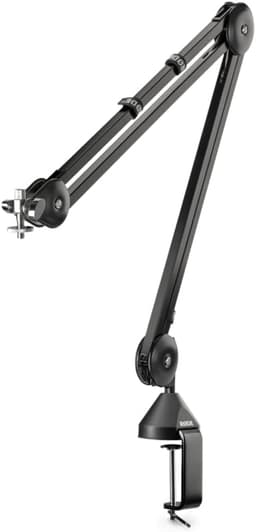
RØDE PSA1 Boom Arm
UpgradeSmooth positioning and strong build; reduces desk bumps and vibration noise.
View on Amazon“Choose this if…”
- You want the easiest win under $100 → get the SoloCast, place it close, and you’re done.
- You hate desk clutter / vibration noise → add a boom arm and keep your desk clean.
Two mistakes to avoid
- Mic too far away (you’ll crank gain and pick up room echo).
- Pointing the wrong side at your mouth (many mics have a “front”).
Optional: make your calls look better too
If your laptop camera is mushy, a proven webcam is a simple upgrade.
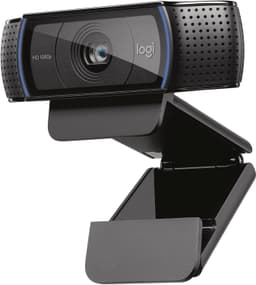
Logitech C920x HD Pro Webcam
Safe pickA long-time “safe buy” webcam for calls with consistent image quality.
View on Amazon